
For padel clubs
Live score, instant replay, match video and AI analysis. One system, every court.
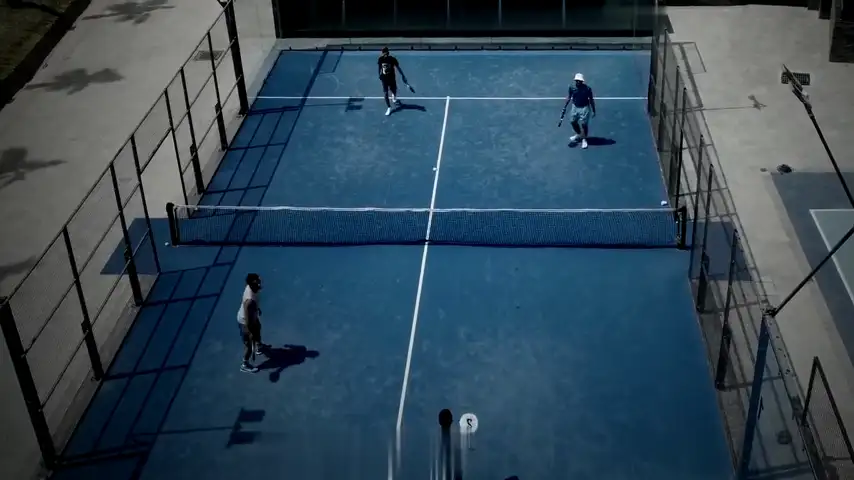
Background: licensed stock drone footage. The boxes, lines and ball on top are the real output of the KORTCAST engine on this footage.
One court. Three jobs.
Today clubs install either scoring and replay or an AI camera. KORTCAST offers both on the same platform; the club chooses which one runs on each court. The third is on the way.
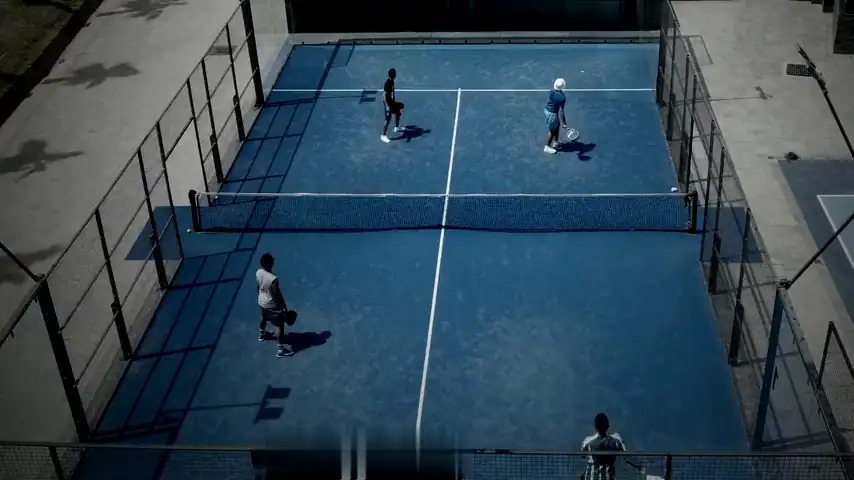 Engine output · stock footage
Thesis
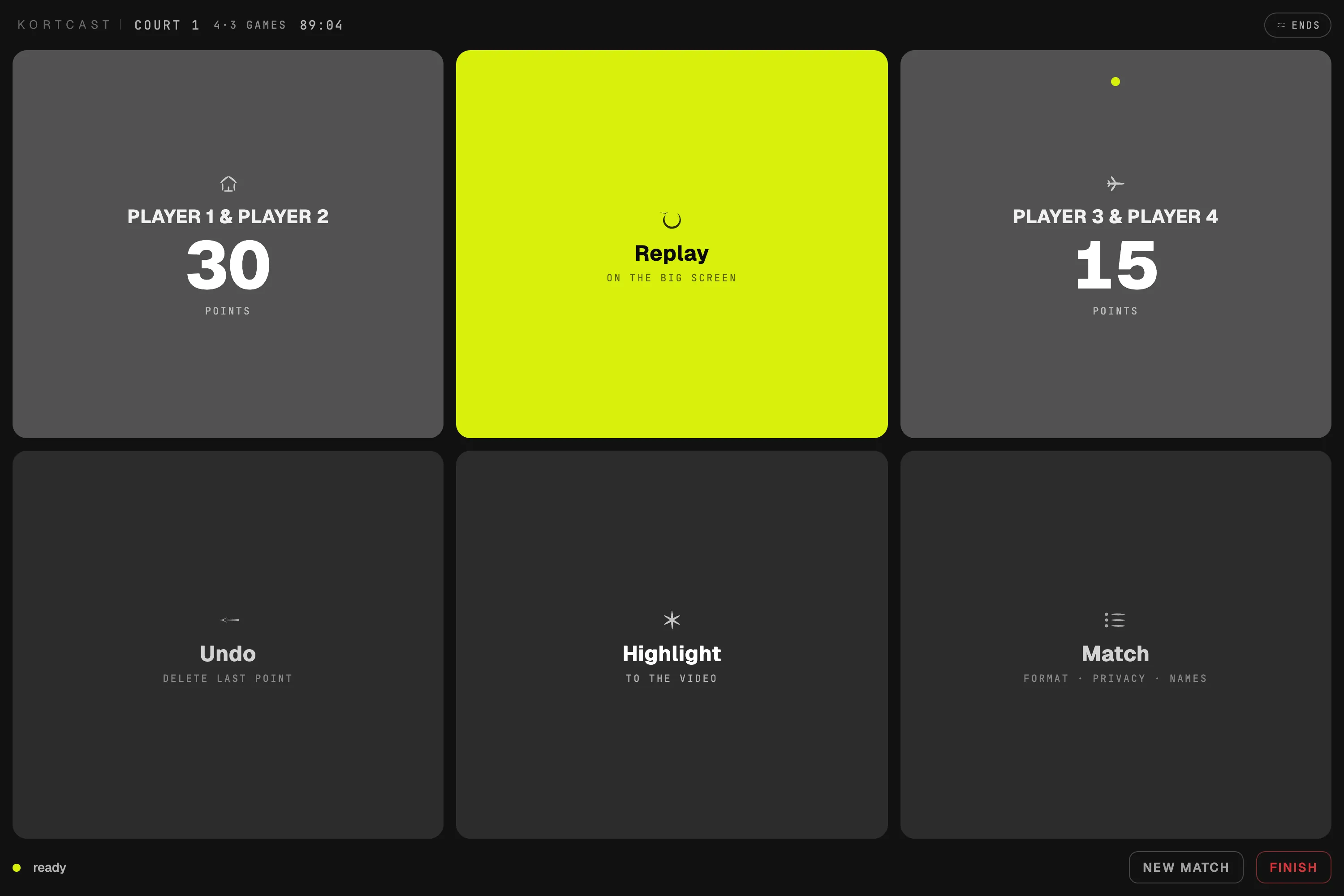
When a player presses Replay, the last rally comes back on the big screen; when they press Highlight, that moment is cut into the video. Nobody has to rewatch ninety minutes — the moments worth watching are chosen by the people who lived them.
Screen footage: licensed stock · phone view illustrative

Every match has a moment.
KORTCAST never misses it.
Keep scrolling
01KORTCAST Classic
The court's own broadcast room. Players keep the score on the panel, so every point is exact; the camera produces the replay and the video, and the club's box delivers it all over the club network.
Each court runs either Classic or Analysis; switch per court with one click.
01Start
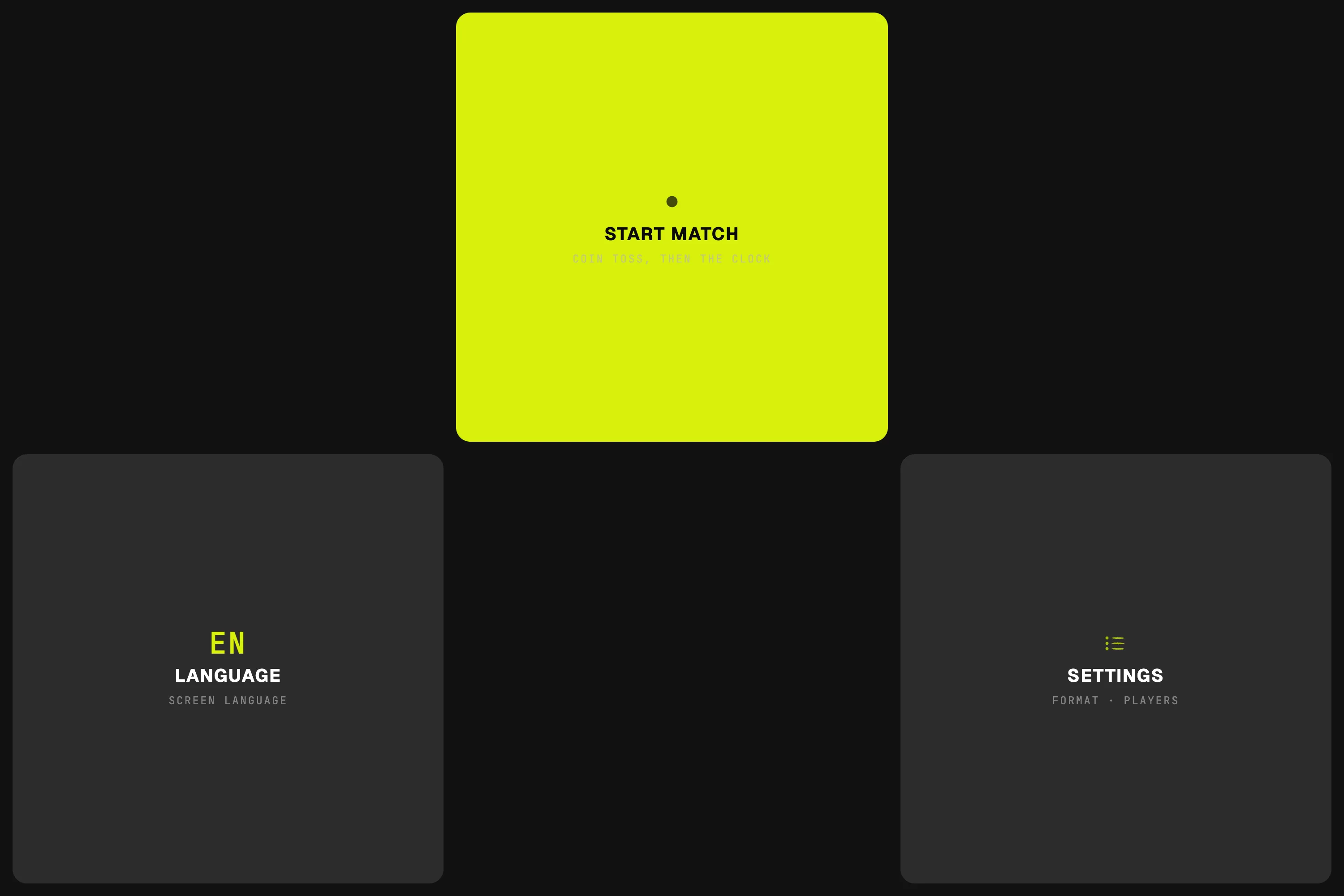
A player taps START MATCH on CORTEX. The coin toss runs, the clock starts, recording is tied to the match.
02Play
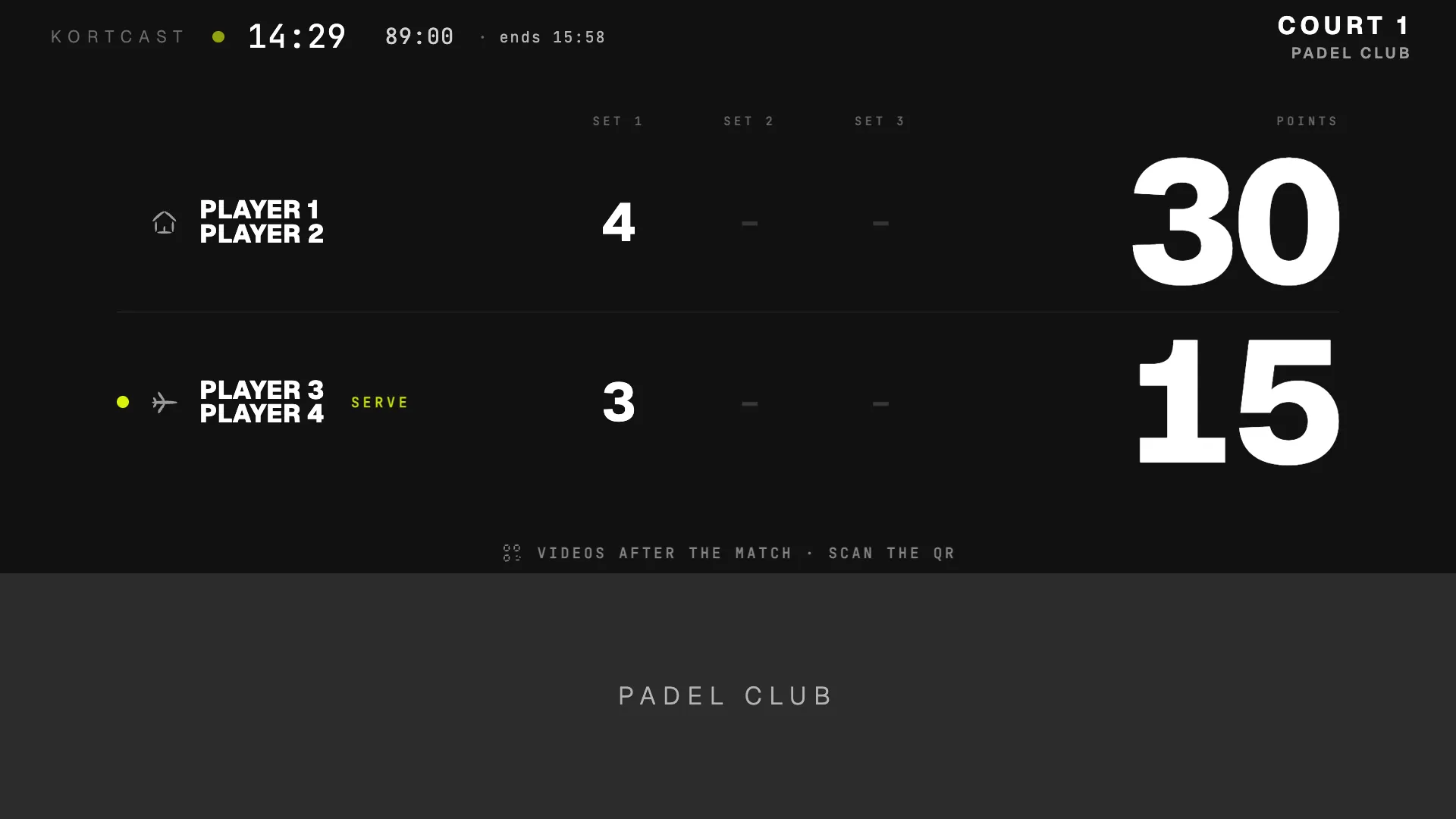
Every point is entered on the panel and appears on the big screen instantly. Tiebreak, super tiebreak, golden point and star point are built into the rules engine.
03Replay
Replay plays the rally again on the big screen — as long as the rally was, 8 to 20 seconds. Highlight cuts the moment into the match video.
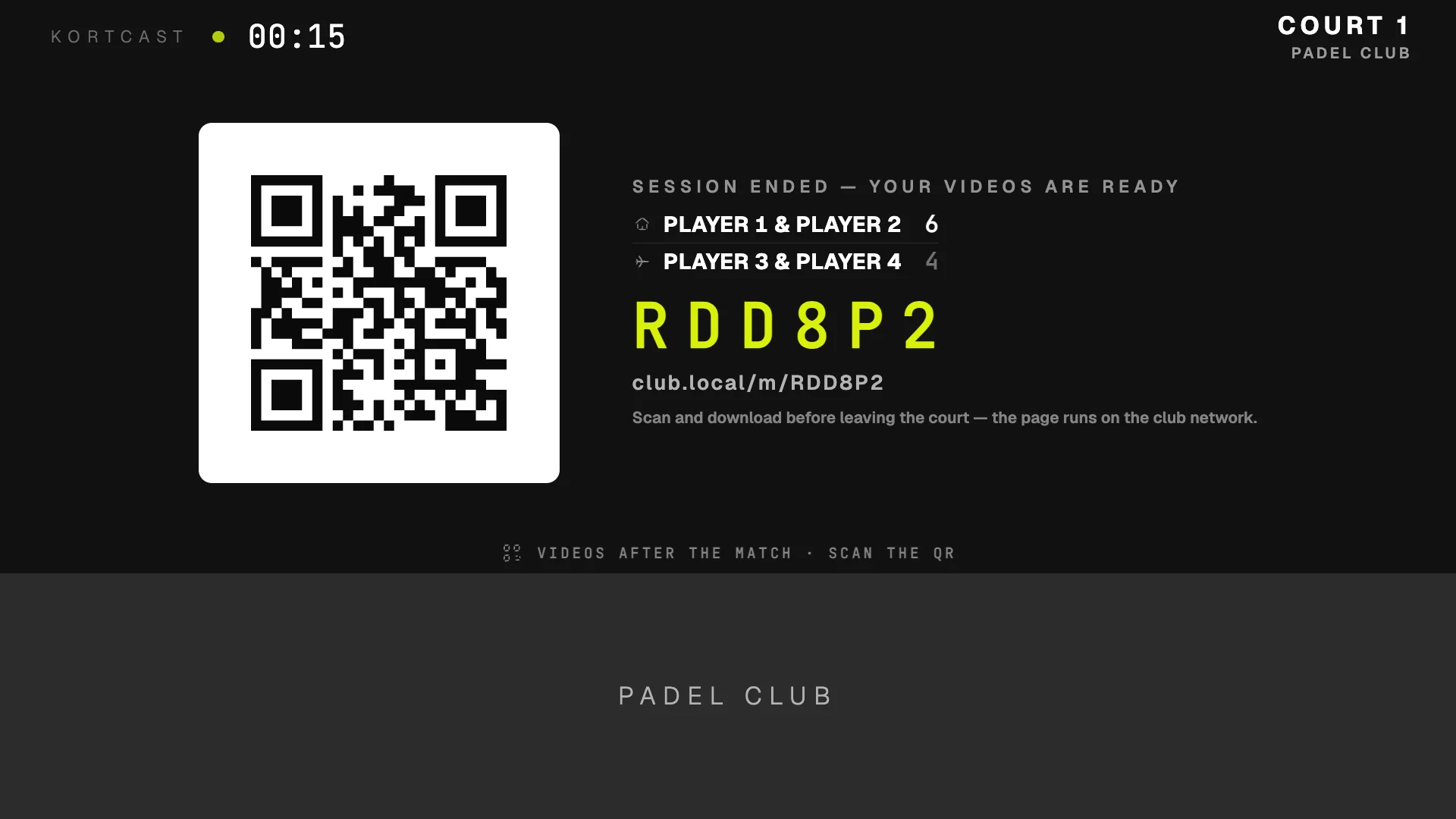
04QR
When the match ends, a QR code and match code appear on the big screen. Players scan at the club; highlights and the full match land on their phone.
Screens captured from the running system · sample match (Turkish interface)
On every point
Points come from the panel; sets, games and points on the big screen. No guessing, no arguments.
As long as the rally, between 8 and 20 seconds, on the big screen right away.
Press Highlight and the moment is cut into the video, ready when the match ends.
Highlights and the full match go to the player's phone over the club network.
For the club
On a Classic court the big screen is the club's shop window: sponsor moments, the tournament table, an optional stream. Players decide whether the recording is open or PIN-protected.
Nine moments, four surfaces — full screen, score band, inside the video, end card. Every impression is counted.
Your club
Your club's sponsor goes here
Your club · Court 1
Your club's sponsor goes hereIllustrative layout · the sponsor space belongs to the clubAI-generated footage · on site, your own camera footage
Americano, Mexicano, knockout. The draw is built and matches drop onto free courts by themselves.
Partners rotate every roundNext round is paired by the standingsWinners go through to the next round
Draw
Off by default. If the club turns it on, the stream is silent; audio only goes into the recording.
Live stream
Off by default · the club turns it on
Stream off
LIVE SilentAI-generated footage
Open, PIN-protected or not recorded at all. The choice is made on the panel before the match.
This match · on the panel
RecordingNot recording
Video and QR after the match.
The video opens only with the match PIN.
No video, no QR. Instant replay still works.
Chosen before the first point
02KORTCAST Analysis estimated · measurement ongoing
On an Analysis court, AI follows the ball and all four players, classifies strokes and estimates how each point ended. It all runs on the club's box and comes back to the player as a match card and a coach note.
Coverage so farLanding · est.
| P1 | 2.8 m | —out of frame |
|---|---|---|
| P2 | 4.2 m | 2 km/h |
| P3 | 4.4 m | 0 km/h |
| P4 | 6.7 m | 4 km/h |
—
Average, contact → landing
2D court plane
Serve
Player P4
Demo: shot types checked frame by frame
1
Shots in view
Continues past the clip
—
Height needs 3D — with the KORTCAST camera
Background: licensed stock drone footage — a 13-second rally from the serve on. The returner is out of frame when he strikes, so that shot is labelled by its role only. Boxes and ball are the KORTCAST engine's output, not corrected by hand; the ball is drawn only in frames where it was checked — anywhere else, nothing is drawn. Player distance and speed come from the court calibration in metres. Ball speed is a 2D court-plane estimate; height is not measured on this footage. Shot types are demo labels checked by eye, frame by frame, on the 4K original; the engine's shot-type model is in training.
Engine output · every checked ball observation in this rally, on one frame and from above
01 · Ball track
The ball is searched for in every frame; bounces and hits are marked on the track. Our goal is to never lose it while it is visible.
Time spent
Speed trail · km/h015+
| P1 | P2 | P3 | P4 | |
|---|---|---|---|---|
| Distance | 6.0 m | 7.2 m | 14.3 m | 10.5 m |
| Top speed | 10 km/h | 8 km/h | 22 km/h | 9 km/h |
Engine output · positions over the full 13-second clip, from the court calibration in metres
02 · Players
Players are tracked throughout: court coverage, time at the net, distance covered. No face recognition; identity is the player's own choice.
This rally · in view
Demo: shot types checked frame by frame
Shots in this rally · top view
03 · Strokes
Every stroke is labelled — lob, forehand, backhand, volley, bandeja, smash — and the shot that ends the point is credited to the player. The labels in this demo were checked frame by frame; the stroke model is being trained on our own recordings. Image and ball sound are used together.
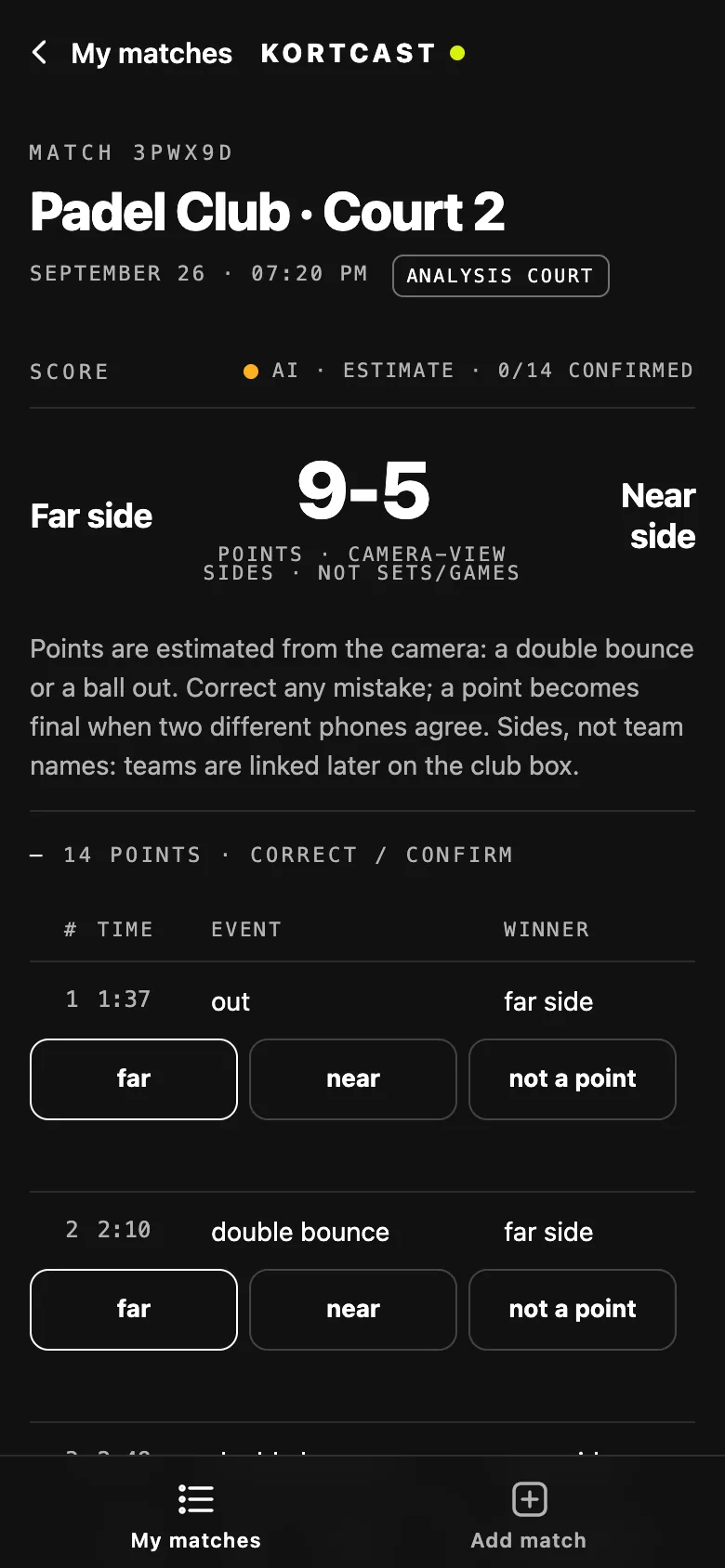
04 · Points
How a point ended — double bounce, out — is estimated from the camera and sent to the players for confirmation. On a Classic court the score always comes from the panel, exact.
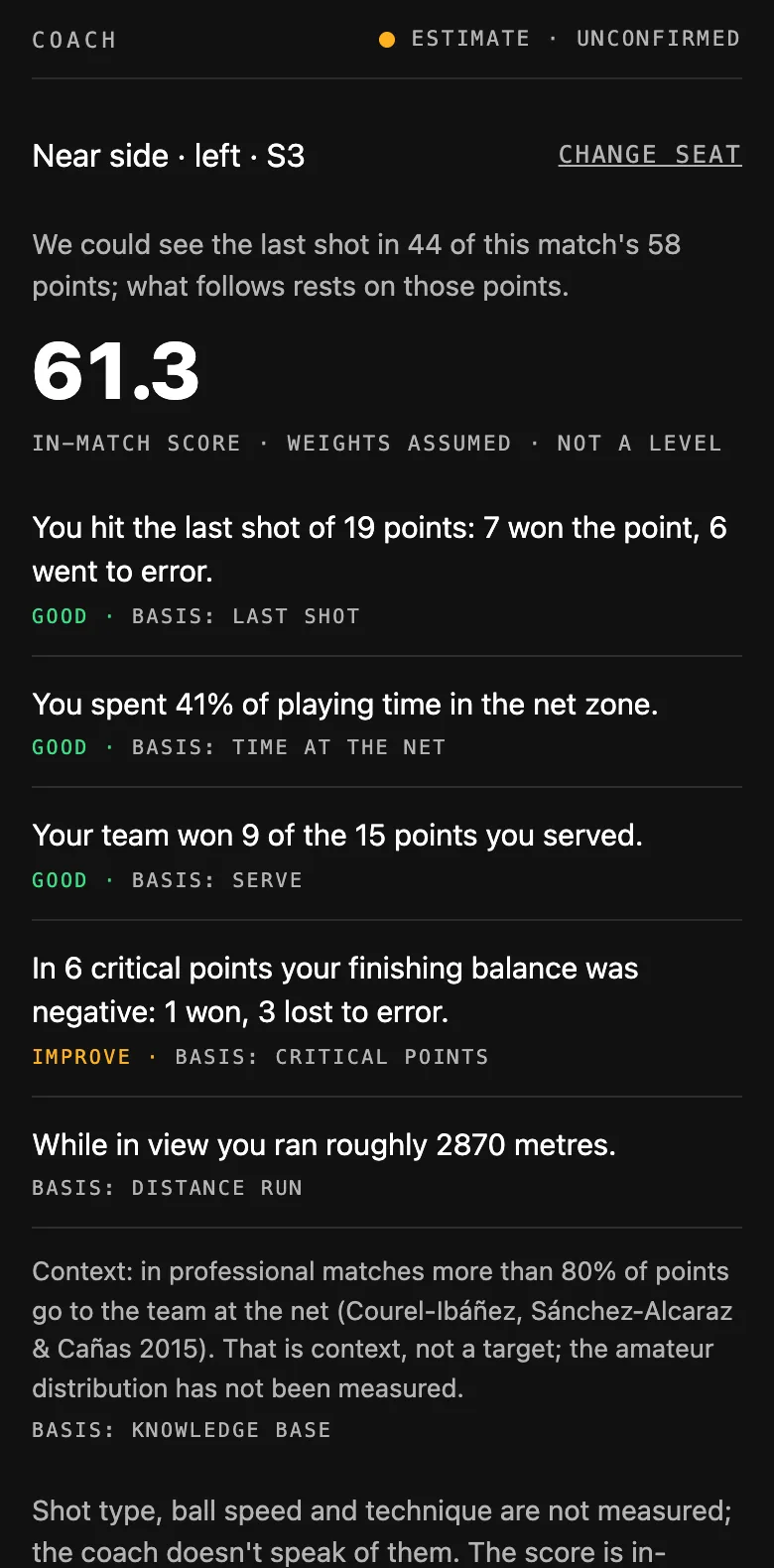
05 · Coach note
Every sentence on the match card states which measurement it rests on. It does not talk about what it cannot measure.
Analysis output is an estimate today. We have not yet measured accuracy on court, at the target camera angle; that starts at the first club. That is why every screen says “estimated” and points go to the players for confirmation.
03AI Referee In development
We are developing a referee system that works out whether the ball touched the line from frames captured by several cameras at the same instant. A hardware line separate from Classic and Analysis.
Concept · simulated. Front frame: licensed stock drone footage, ball moved onto the line with AI. Side frame: generated with AI from the same scene, not a real side camera. Camera placement is a concept, not an installation plan. The call and the contact values are simulated.
Hardware
The panel sits behind the fence, the camera on top of the back fence, the box inside the club. Nothing protrudes into the court.
CORTEX · court panel
The whole panel sits outside the court; the screen faces in. Each of the six targets sits in the centre of a mesh opening — the ball can't reach the glass, the player reaches through the wire.
6 targets · 3 × 2 mesh openings
MANTEYE · court camera
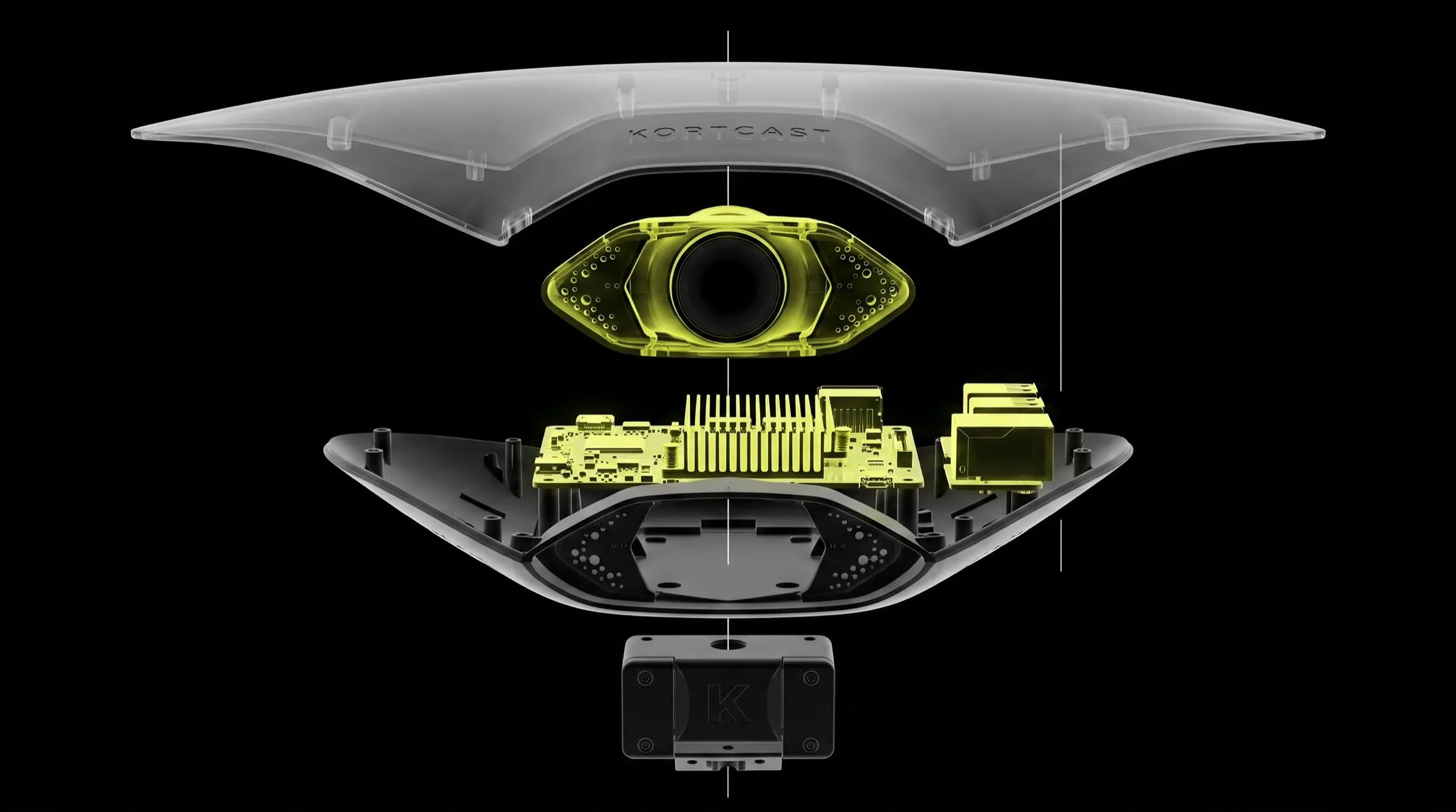
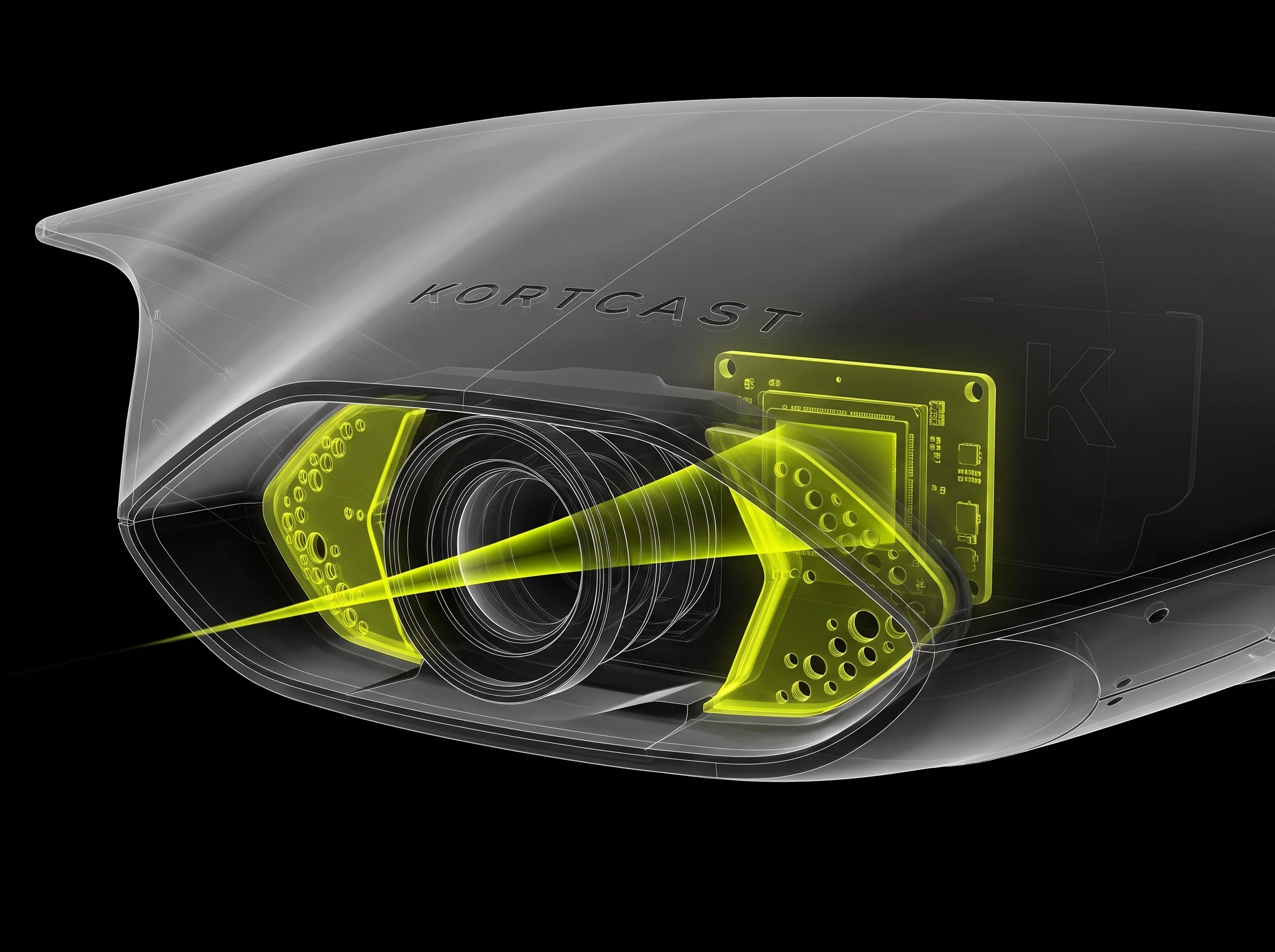
01Parts
Everything the camera needs sits in one housing on the fence top rail.
02Lens
One wide frame from glass to glass — nothing is stitched, so replays are cut without re-encoding.
Design renders · dimensions and internal layout may change in production
Court panel
Behind the fence, outside the court. The screen faces into the court and players touch it through the mesh. Each of the six targets sits centred in one mesh opening; the ball cannot reach the glass.
Court camera
On top of the back fence, centred. Sees the whole court in a single frame; a directional microphone carries the ball sound into clips and analysis.
Edge computer
Recording, cutting, delivery and analysis happen here. Even if the internet drops, the match is recorded, replay works and the QR delivers.
Multi-lens flagship
The top model, seeing the court from every angle through several lenses. Not for sale today; on the roadmap.
Dimensions are design targets and may change in production.
App
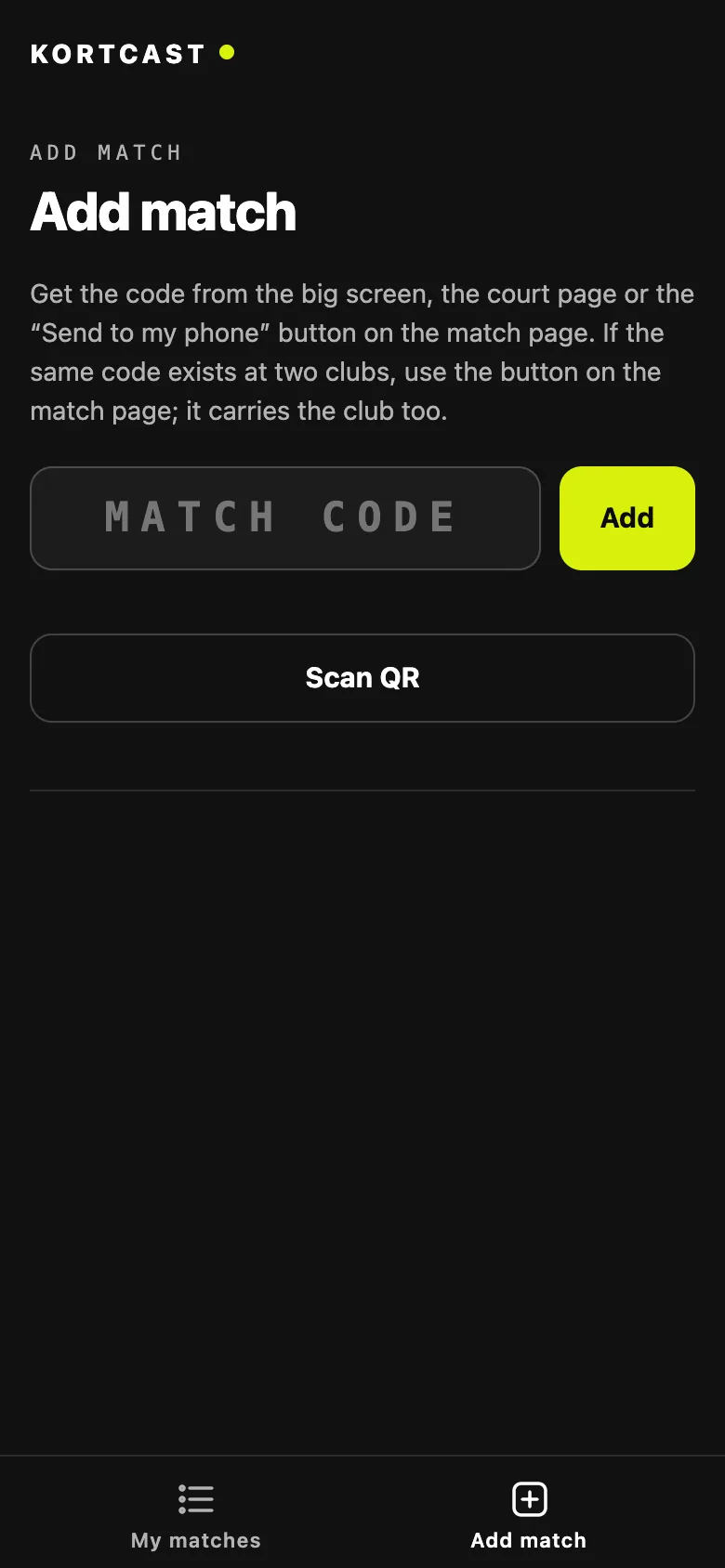
The KORTCAST app is optional and asks for no account. My matches keeps all your matches in one list; add a match by QR or code, open a PIN-protected one with its PIN.
iOS and Android · coming soon to the stores Currently in testing (iOS TestFlight).
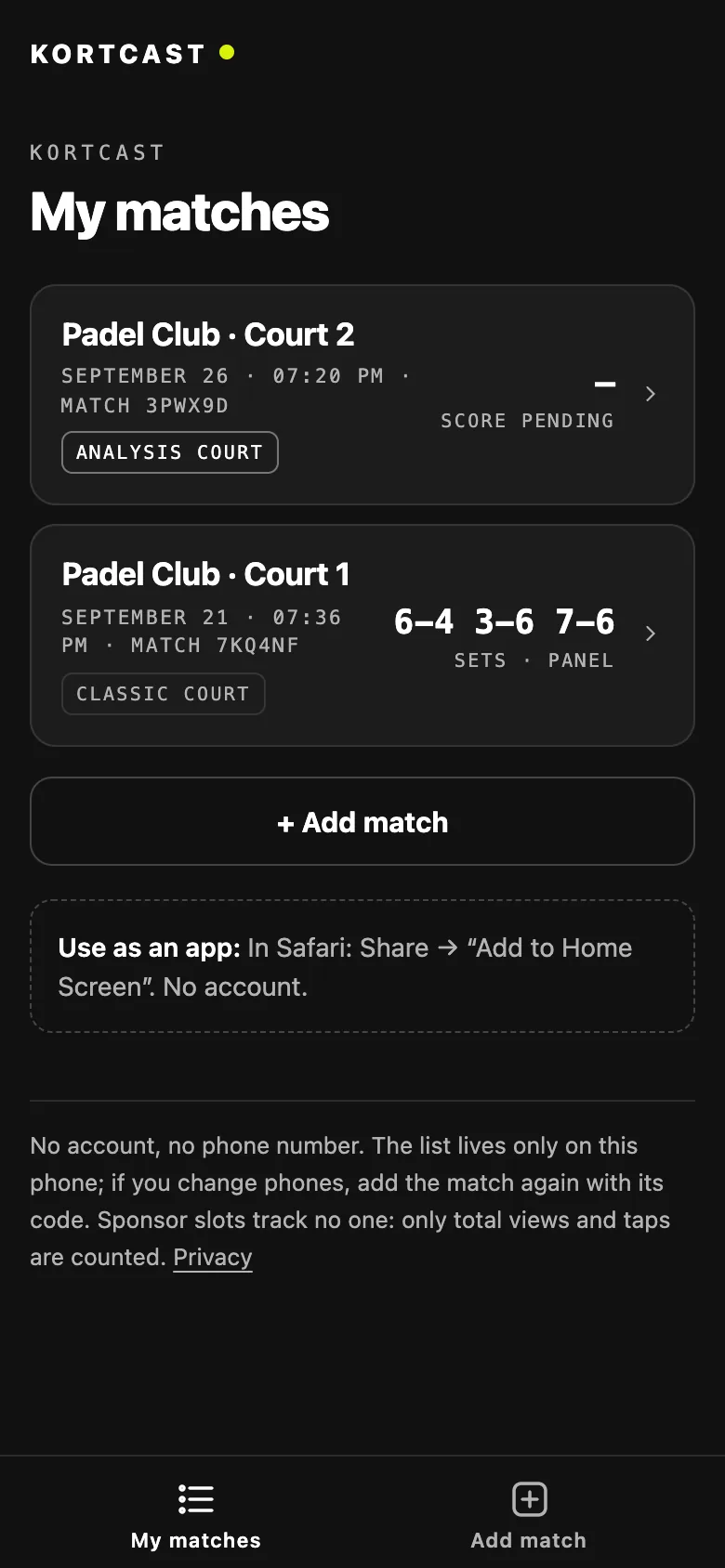
My matches
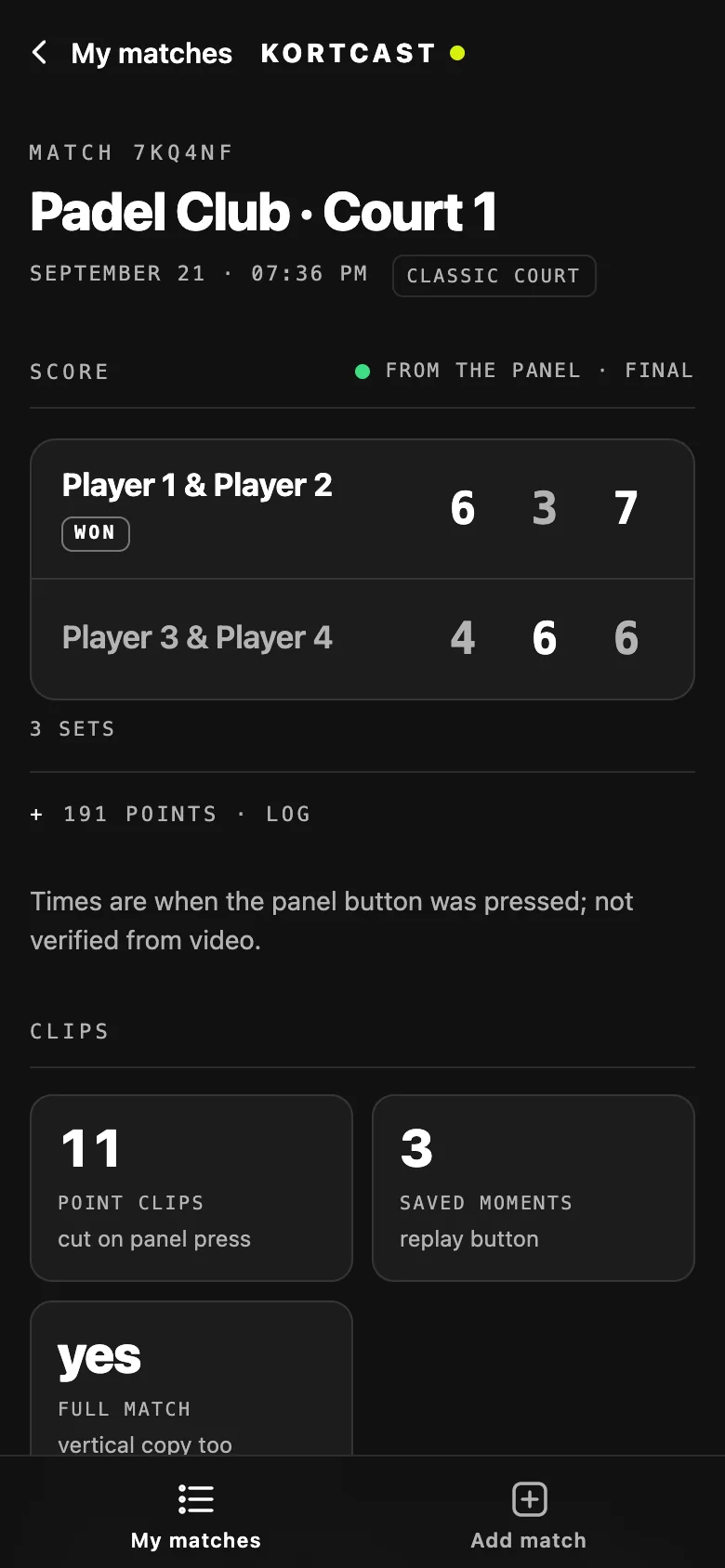
Classic match
Analysis match
Add by code
Real app screens · illustrative match data
Club revenue
One line only: sponsorship. The club sells four surfaces to local brands and sets its own prices. Every logo shown on the screen, at the end of a clip and in the app is counted, never inflated.
01 · Highlight
Three sponsor logos run across the top of every frame — left, centre and right — and each position is sold separately. The clip ends on a two-second sponsor card. When the player sends the clip on, the brands go with it.
Counted · end card, once per clip
02 · Big screen
Nine moments on the court's screen: a bottom band that rotates your sponsors through the match at the interval you choose, full screen while the court is empty, and the match-end sponsor under the QR.
Counted · once per rotation window
03 · App
Brands the club marks “show in app” appear in the KORTCAST app on the player's phone: above My matches, on the match card and under clips. A tap opens the sponsor's own https link.
Counted · approximate, last 30 days · no personal tracking
04 · Share
When a player sends their match link on WhatsApp or iMessage, the preview image carries that match's sponsors — up to four logos. No player image, no names.
Not counted · previews are fetched by bots, not seen by a known person
Interfaces drawn in code · big screen is a real screenshot · slots shown empty, no real brands
Numbers you can show a sponsor
Each brand's impression count sits on the club's sponsor page. For prospects there is a page the club can send without a login: figures come from the box's own counters, a field not yet measured reads “not measured yet” instead of zero, and no per-brand figures leave the box.
Nothing appears on any surface until the club switches sponsorship on. The logo inside the video is off by default too.
With your own numbers
Courts example
Highlight sponsors example
€2,880 per year
Big screen sponsors example
€8,640 per year
App sponsors example
€960 per year
Share-preview sponsors example
€960 per year
Courts × sponsors × monthly fee × 12. Every default figure is an example value, not market data — set your own prices. A sponsor appears on every court, so a per-court fee keeps the price in step with how often the brand is seen.
First club
There is no KORTCAST court installed in the field today; we are not hiding that. We will build the first one together with our first club. For the pilot club, hardware and installation are free; in return we ask for permission to measure on court and for honest feedback.
FAQ
When the match ends, a QR code and match code for that match appear on the big screen. Players scan while at the club and download their highlights and the full match. No number, no account, no password.
The KORTCAST app is optional and also account-free: it gathers matches in one list. Video still downloads over the club network.
Recording, cutting, delivery and analysis happen on the club's box; footage and audio never leave the club. Only the result card and the analysis summary go to the cloud. The one exception is a clip the player chooses to Share: only that clip goes to the cloud for the share link, and it is kept for a limited time.
The court is recorded on a rolling three-hour buffer; full-match video is kept for a limited period. Audio is used only for the ball sound in clips and hit timing: no face or voice recognition, no speech-to-text, and the live stream is silent. Before installation the club receives a privacy notice and a court sign stating that video and audio are recorded.
In Classic, the score is the exact score players enter on the panel, plus instant replay, video, sponsors and tournaments. In Analysis, one camera and AI follow the ball and players and estimate strokes and points.
Each court runs either Classic or Analysis, not both at once. It can be switched per court with one click.
We have not measured it on court yet, so we do not quote a percentage. Today we develop the engine on internet recordings; the real measurement, at the target camera angle, starts at the first club.
That is why every Analysis output carries an “estimated” label and points go to the players for confirmation.
Power and internet. CORTEX is clamped behind the fence from outside the court, MANTEYE sits on top of the back fence, the box stays inside the club. No drilling, no welding.
Recording, replay and QR delivery run on the club's box and network, so the match is not affected. Summaries for the cloud are sent when the connection returns.
Optional. It is off by default; if the club turns it on, the stream is silent and a sign on court says so.
Yes. Americano, Mexicano and knockout are built in: the club enters players and courts, the draw is built, matches drop onto free courts automatically, and the big screen shows the table when idle.
The big screen can read each court's booking calendar (an iCal link, which almost every booking system offers) and show when the current booking ends — so far tested with sample calendars, not a live system. There is no deep integration with booking platforms yet.
We are not publishing prices yet; they will depend on the number of courts and the package. For the first club, the pilot is free.
Contact
A thirty-minute video call: we show the system running and talk through how it fits your courts. Not a sales pitch.
Leave your details and we'll contact you to arrange a demo.
Thanks — request received.
We'll email you a few time options.
Or email us hello@kortcast.com